Stop Fake Leads Counting as Conversions (GTM Setup)
The LeadShield.ai Team · 17 November 2026
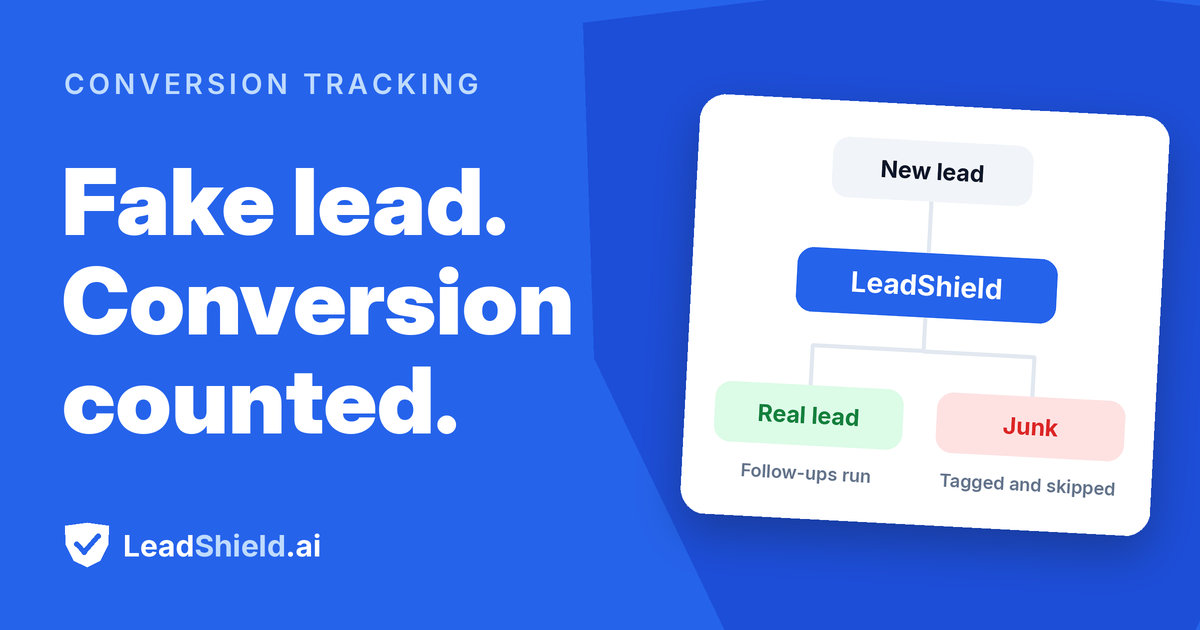
Every conversion tag has one job: report that a lead happened. It trusts the form to tell the truth, fires on the button click or the thank-you page, and moves on. A bot fills in the same fields, presses the same button, and gets the same report. That is the whole mechanic behind fake leads counting as conversions: nothing between the submission and the tag ever asks whether the lead was real.
The fix is to move the timing. Instead of firing on an action anyone can perform, the tag waits for a verdict on the lead, then fires. On website forms screened by LeadShield, that verdict already exists as events your page can use, on every plan, with Google Tag Manager or a few lines of code. Here is how to wire it up, what to test, and where the edges are.
Why are fake leads counting as conversions?
Fake leads count as conversions because conversion tags fire on actions, not on outcomes. The button click and the thank-you page are things a bot or a bored human can do as easily as a buyer. The tag records the event, Google Ads or Meta reads it as a lead worth pursuing, and the junk sits inside your conversion count with full rights.
The two common placements behave differently, and the difference matters:
- A tag on the button click fires the instant the form is sent. Nothing has checked the lead yet, so every submission counts, real or not.
- A tag on the thank-you page is cleaner when a form actually blocks junk, because a blocked lead never reaches the page. But leads that were flagged and let through, and leads that arrived when no check ran, still land there and still count.
Neither placement can see the verdict. If you want the full argument for why that corrupts bidding, read how junk leads train ad platform optimization: the short version is that the platforms optimize towards whatever you count, junk included. The wider Google Ads cleanup, negatives, IP exclusions and placements, is covered step by step here.
What is the verified lead signal?
The verified lead signal is a set of events your page receives after each form submission, carrying the verdict so your conversion tag can act on it. With the LeadShield snippet or the WordPress plugin in place, every submission is checked as it arrives, and the page gets exactly one of three events:
leadshield_verified: the lead passed the checks and went through.leadshield_unchecked: the lead went through without being checked, because the check service couldn't be reached in time or the account's monthly checks ran out.leadshield_flagged: the lead was suspicious or invalid, whether it was blocked or let through.
Three properties are worth knowing. The signal is on every plan, including Free. Existing installs get it automatically, so there is nothing to reinstall. And the events carry no lead details, just the verdict and the form it came from, so nothing about the person is handed to your tag manager.
One subtlety worth pausing on: the flagged event fires whether the lead was blocked or let through. That means the signal works even if you run the form in observe mode, watching and reporting without blocking anything. Your conversions stay clean either way; blocking only decides what reaches your CRM.
Website forms only, though. The events live in the snippet, so leads connected through GoHighLevel, Zapier or Make, or arriving from Facebook's own instant forms, never produce them. More on that boundary below.
How do you fire conversions only on verified leads?
In Google Tag Manager, you create one Custom Event trigger, move your conversion tag onto it, and remove the old trigger so nothing fires twice. The whole change takes about five minutes:
- In Tag Manager, open Triggers and click New, then choose Custom Event.
- Enter
leadshield_verified|leadshield_uncheckedas the event name and tick Use regex matching. - Open your Google Ads or Meta conversion tag, add the new trigger, and remove the old one. If both stay attached, every lead is counted twice.
- Switch to Preview mode, send a test submission, confirm the tag fires exactly once, then publish.
The regex matters more than it looks. Matching only leadshield_verified is tempting and slightly wrong: it drops the leads that went through unchecked. Which raises the one real decision in this setup.
Why keep leadshield_unchecked in the trigger?
Because a conversion setup that stops counting real leads during an outage is worse than one that occasionally counts a junk lead. When the check service can't be reached in time, or the monthly checks run out, the form keeps working: the lead goes through, and the event it sends is leadshield_unchecked rather than leadshield_verified. Keep unchecked in the trigger and an outage costs you filtering, not conversions. Drop it, and your conversion count quietly slides to zero until service returns, which is the kind of bug nobody notices for a week.
For a sense of what the filtering is worth, run the arithmetic on your own numbers. Suppose a form collects 120 submissions a month and a quarter of them are junk: that is 30 fake conversions a month inflating the count by 25 percent, and the bidding system reading those conversions concludes that whatever produced them deserves more budget. The numbers are illustrative; the mechanism is not. The platform optimizes towards whatever you count.
What if you don't use Tag Manager?
Add a listener in your own code and send the conversion yourself when the verdict arrives. The page fires a leadshield:verdict event with the details attached:
document.addEventListener('leadshield:verdict', function (e) {
  // e.detail: { verdict, verified, allowed, form }
  if (e.detail.verified || e.detail.verdict === 'unchecked') {
    gtag('event', 'conversion', { send_to: 'AW-XXXXXXXXX/XXXXXXXXX' });
    // or: fbq('track', 'Lead');
  }
});
The verdict field is one of valid, suspicious, invalid or unchecked, so you can tighten the condition if you want stricter behavior than the default. One caveat from the field: if your Tag Manager container uses a renamed data layer, the built-in events won't be visible to it, and this code version is the way through.
What can't the verified lead signal fix?
It cannot clean conversions for leads that never pass through the page. The boundary is exact, and it is worth knowing before you promise your client a clean dashboard:
- GoHighLevel, Zapier and Make connections are checked after the form is sent, inside the flow, so there is no on-page verdict for a tag to wait for. Facebook's instant forms never touch your website at all.
- A form with no email or phone field isn't screened, so it sends none of these events.
- Leaving the old trigger attached means every lead counts twice, which is a worse problem than the one you started with.
Two more limits, stated plainly. The verdict reflects the checks LeadShield runs: invalid or impossible phone numbers, disposable and mistyped email addresses, domains that can't receive mail, bots on websites, machine-written spam, repeat submissions. A fabricated submission that happens to be well formed can still pass all of them. And a verified lead is a real one, not a buying one; no check can tell you a genuine person's intentions.
It also does not reduce ad spend, whatever the intuition says. The click is paid for before any lead exists. What changes is the measurement: your reports, your conversion counts, and the data your bidding learns from.
How do you check the setup before publishing?
Test in both directions inside Tag Manager's Preview mode. Send one clean test submission and confirm the tag fires exactly once on leadshield_verified. Then send one that should be flagged; a disposable address such as test@mailinator.com does the job. Confirm the tag stays silent. Two minutes of testing catches the two failure modes that matter: the tag that never fires, and the tag that fires twice.
Before changing any tracking, it also helps to know how big the distortion already is. Run a recent batch of up to 250 leads through the free LeadShield audit, no signup and no install, and see how many would have been flagged. That is the share of your conversion count that has been reporting fiction. A small number is a measurement nuisance; a large one means your bidding has been learning from it for a while.
Frequently asked questions
Does this work for GoHighLevel or Facebook instant form leads?
No. The events come from the website snippet, and leads connected through GoHighLevel, Zapier or Make, or submitted through Facebook's own instant forms, never pass through it. Those leads are screened in the flow instead, where there is no on-page verdict for a conversion tag.
Do I need a paid plan for the verified lead signal?
No. It is on every plan, including Free, and existing installs get it automatically. The only work happens on your side: changing the trigger in Tag Manager, or adding the code listener.
Will this lower my ad costs?
No, and treat any promise that it will with suspicion. The click is already paid for by the time a lead is checked. What improves is the measurement: your conversion counts and the signal your bidding learns from.
What happens to my conversions during an outage?
They keep counting. Leads that go through unchecked still fire the tag under the recommended trigger, so an outage costs you filtering, not conversions, until the service is reachable again.
Can a fake lead still get counted?
Yes, at the margins. The verdict reflects the checks: invalid numbers, disposable or mistyped emails, dead domains, bots, machine-written spam, repeat submissions. A well-formed fabrication can pass all of them, and no check can prove an intent to buy.
Fake leads draining your budget?
LeadShield catches bots, disposable emails and AI spam — connect your form tool or CRM in two minutes, nothing to install.
Start free