How Junk Leads Train Ad Platform Optimisation
The LeadShield.ai Team · 28 July 2026
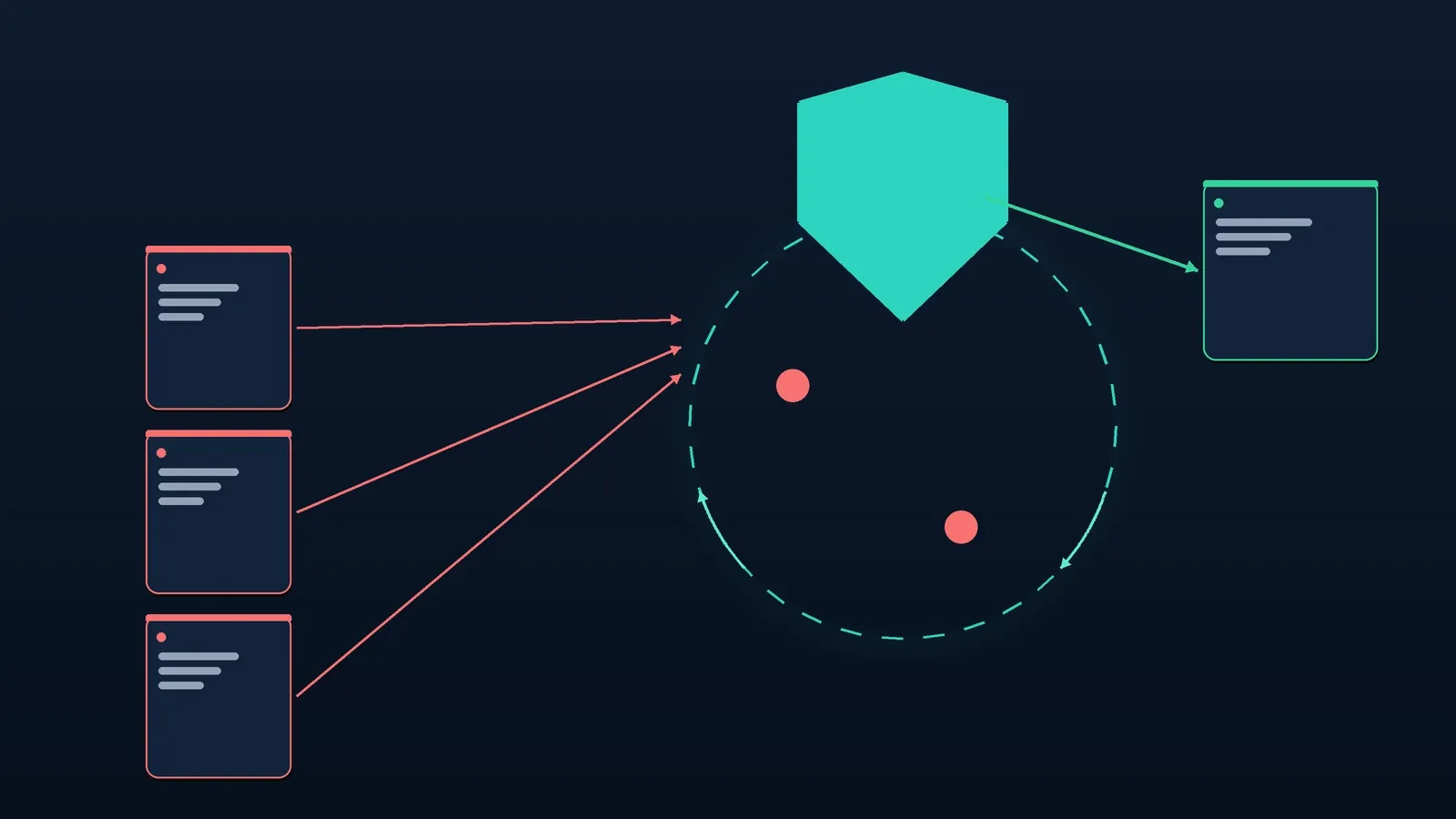
Junk leads train ad platform optimisation when a bad form fill is recorded as the success signal your campaign is meant to find. The sales team may bin it five minutes later. The CRM may mark it invalid. Neither action necessarily changes what the bidding system already saw.
That is the awkward bit. Blocking junk at the form protects the inbox and the pipeline, but it only protects the ad signal if the conversion tracking is wired in the right order. If a conversion fires before validation, or every form fill remains a primary goal, the platform can keep rewarding the pattern that produced the junk.
Blaming the algorithm misses the point. Check what you are feeding it.
How do junk leads train ad platform optimisation?
They can, but only when the junk submission becomes a conversion signal used by bidding. If a bot-filled or uncontactable form fires a primary conversion before rejection, the platform sees a successful outcome. If the event never fires, or it is kept out of bidding, that feedback loop does not apply.
Google's conversion-goals documentation makes the control point clear. A conversion action marked primary can be included in bidding when its goal is biddable. A secondary action is excluded unless it is deliberately used in a custom goal.
Meta describes a related mechanism in its ad-auction guidance: estimated action rates include the probability that a person will engage or convert. This does not mean every junk lead changes every campaign. It means a counted action can influence optimisation when that action is the outcome the campaign is pursuing.
That is how a dashboard full of cheap conversions can look healthy while the sales team complains. The platform was asked to find form fills, not genuine buyers.
Which conversion signal is bidding actually using?
Check which conversion action is primary for the campaign. A raw form submission, a booked call and a sales-qualified lead are different outcomes. Bidding cannot prefer the later outcomes if it sees only the first. The campaign setup, rather than the word "conversion", decides what counts.
Find the form event and trace where it fires. A button-click conversion can count failed attempts before the form is accepted. A thank-you-page event is cleaner, but it still counts every submission that reaches the page. A server-confirmed event sent after validation gives you more control.
For teams with a real qualification process, the stronger option is to optimise towards a deeper outcome. Google's conversion-management guidance covers offline conversion imports and Enhanced Conversions for Leads. These can return a qualified lead or another downstream result rather than treating every raw enquiry as equally useful.
Sales and marketing still need one working definition of "qualified", lawful data capture and consistent uploads. A perfect definition used twice a month is worse than a sensible one applied every day.
Why can form blocking leave the feedback loop intact?
Form blocking fixes the optimisation problem only when validation happens before the counted conversion event. If the tracking tag fires first and the form is rejected second, the CRM stays cleaner but the platform may keep the conversion. The sequence matters more than the label on the anti-spam tool.
Wait for a valid verdict before sending the primary conversion. Invalid submissions can be logged for diagnostics. Suspicious cases may go to review, depending on the company's risk tolerance, but they should not train the same goal as confirmed enquiries.
⚠️ Do not hard-block on one weak signal. Browser autofill can look unnaturally fast, and genuine buyers use VPNs. Our guide to B2B lead qualification signals explains why several checks beat one dramatic flag.
Deduplicate before reporting the primary action as well. Merging three records in the CRM does not remove three conversion events already sent to an ad platform.
How should you measure cost per genuine lead?
Cost per genuine lead is ad spend divided by leads that pass your agreed quality threshold. It is usually less flattering than platform cost per lead, which is why it is useful. The metric removes junk, duplicates and clearly uncontactable submissions from the denominator without pretending the spend disappeared.
Illustration, not a customer result: a campaign spends $8,000 and reports 200 conversions, so platform CPL is $40. Review finds 50 junk leads, leaving 150 genuine ones. Cost per genuine lead is $8,000 divided by 150, or $53.33. That is $13.33, or 33.3%, above the headline CPL.
The platform figure was not mathematically wrong. It answered the wrong business question.
Use the same quality rule before and after any change. Otherwise a new definition can look like better performance. Lead-quality dashboards may estimate avoided cost from a customer-set CPL, but a fallback such as $45 is only an estimate. It is not cash recovered, measured revenue or proof of an achieved saving.
The ClickCease alternatives comparison makes the same point on the click side: a blocked-spend figure is not automatically money returned.
What can IP and hashed-email exclusions do?
Exclusions reduce the chance of paying to reach identities or networks already associated with junk, but they are a supporting control. They do not repair a badly configured conversion goal. IPs change, shared networks exist, uploaded emails may not match, and every platform applies eligibility and policy rules.
Google's IP-exclusion guidance documents account-level controls across campaigns, campaign-level restrictions and a limit of up to 500 IP addresses per campaign. Check the live guidance before applying an export because these controls can change. A repeated data-centre pattern is stronger evidence than one suspicious lead from a shared office network.
Google Customer Match supports SHA-256 customer-data uploads. Its formatting guide warns that not every identity will match and match rate is not performance. Eligibility depends on policy compliance, payment history, consent and other account requirements. Google's audience-reporting guide explains how exclusions are managed.
Meta's Customer File Custom Audiences documentation says customer information is shared in hashed form and matched against Meta's hashed data. Incorrect formatting does not match, and Custom Audience terms apply.
Pro and Agency users can export Google Ads IP exclusions and SHA-256 hashed email suppression files for Google Customer Match and Meta Custom Audiences. The customer reviews and applies them where current campaign controls, eligibility, consent and policy allow. The files do not change an ad account automatically.
Where does bulk CSV cleaning fit?
Bulk cleaning is the quickest way to test lead quality before installing a snippet or waiting for new traffic. Upload an existing CRM export and review a verdict, risk score and reasons for each row. It can produce proof from the prospect's own data in roughly 60 seconds, but it is not real-time conversion control.
Every plan and every trial includes bulk CSV cleaning. The per-upload limits are 100 rows on Free, 1,000 on Pro and 5,000 on Agency. Trials include the full Pro feature set.
The limit is important. A CSV row has no browser session or source IP, so bulk mode runs deterministic checks only. It cannot claim that behavioural, device, IP or AI contextual analysis ran. Use it to clean an old list, inspect the pattern of bad records and decide whether live screening is worth wiring. Do not present it as a substitute for the richer context available during a real form session.
How do you fix the feedback loop?
The cleanest fix joins measurement, validation and suppression. None of the steps is difficult on its own. The failure usually sits between teams: paid media owns the goal, web development owns the form, sales owns the quality label, and nobody owns the hand-off.
- Audit every conversion action used by the campaign. Record where it fires, whether it is primary, and whether duplicates can reach it.
- Put validation before the primary conversion event. Send invalid submissions to diagnostics, not to the bidding goal. Route suspicious cases according to a written review rule.
- Optimise towards the deepest outcome you can return consistently. That may be a valid lead first, then a qualified lead through an offline conversion once the process is reliable.
- Review and apply customer-controlled IP and hashed-email exclusions where the platform, account, consent basis and campaign type allow them. Recheck the list rather than treating it as permanent truth.
- Report cost per genuine lead alongside platform CPL. Keep avoided-cost figures labelled as estimates, and change one part of the loop at a time so you can tell what happened.
Pro and Agency plans also provide real-time HMAC-signed verdict webhooks. A valid verdict can pass into the customer's own stack and trigger an immediate Slack or CRM alert. That is useful for speed-to-lead because the clean signal reaches the team without waiting for a manual CSV review. It is a delivery rail, not a promise that a prospect will answer or convert.
Frequently asked questions
Does every junk lead train an ad campaign?
No. The effect depends on whether the submission becomes a conversion, whether that action is used by bidding, and how the campaign goal is configured. A blocked event that never fires cannot train the same loop; a raw form fill left as a primary action can.
Can I prove the problem before installing anything?
Yes. Export an existing lead list and run bulk deterministic cleaning to see verdicts, risk scores and reasons against records you already know. The test cannot use browser behaviour, IP, device or session context because those fields are not present in a normal CSV.
Will IP and email suppression stop every repeat junk lead?
No. IP addresses can be dynamic or shared, and hashed email lists only work where the platform can match the identity and the account is eligible to use the feature. Suppression is useful friction for repeat patterns, not a complete fraud barrier.
Does LeadShield edit Google Ads, Meta or a CRM automatically?
No. It provides customer-applied exclusion and suppression exports, while HMAC-signed webhooks send verdicts into the customer's own stack. Agency adds tunable risk thresholds and configurable retention down to zero; the 14-day trial includes Pro features, so teams can test the workflow on their own data before changing live tracking.
Fake leads draining your budget?
LeadShield catches bots, disposable emails and AI spam — connect your form tool or CRM in two minutes, nothing to install.
Start free